

These days, thanks to smartphones, almost everyone has a camera with them and that’s mostly a good thing. At any time, you can capture memories with family and friends, painterly sunsets and crazy spontaneous moments. The problem is most of us have endless bland photos in our camera rolls because we simply don’t know how to take great shots.
When you’re on vacation or gathering with friends and family, a good photo will provide memories you can proudly share and go back to time and again. And if you’re active on social media, they’re crucial. In this article, I’ll show you how to set yourself up for photo success with the optimal settings and simple but effective composition tips from myself and a pro photographer. And if you’re interested in going further, I’ll highlight several third-party apps that provide even greater manual control. Note that this is focused only on taking photos — I’ll cover video in a future article.
Take advantage of your smartphone’s camera setup
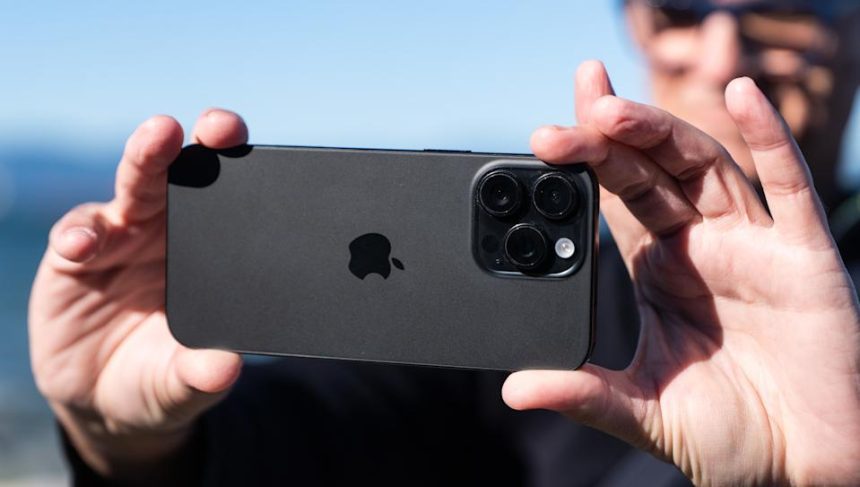
Most smartphones have two or more cameras, each with different lenses, sensors and resolution. They’re usually called the wide (or main), telephoto and ultrawide cameras. These work seamlessly together: You can simply pinch to zoom on the viewfinder to fit your subject into the scene and your phone will switch between the lenses automatically.
Most smartphones offer shortcuts on their viewfinders for you to quickly jump between these, and you’ll usually see numbers like 0.5x, 1x, 2x and 5x to denote the levels of zoom. Ideally, you should use each camera at its optimal setting and avoid in-between digital zooms (like 2.7x) that reduce quality.
You should also know which camera is best for a given subject. People shots are best done with the main or telephoto cameras as those focal lengths flatter the subject and reduce distortion. They also allow for naturally blurred backgrounds and “bokeh” that helps your subject stand out. Since it creates weird warping around the edges of photos, the ultrawide camera is best reserved for landscape shots. Lastly, the telephoto lens is best for distant scenes, but avoid the most extreme settings (above 10x on most cameras) as your photos may become blurry or pixelated.
When it comes to your phone’s portrait mode, there are caveats. While it does create a soft blurred background and “bokeh,” it does so using computational tricks. That can create issues like pixelation around your subject or an overly artificial look. To get natural blur, switch to the main or the telephoto camera, increase the zoom level and move farther away from your subject to frame them.
Finally, this should go without saying, but clean your lens. Whenever you set your phone down, the camera can pick up grease or dirt that will ruin your photos. If you don’t have a microfiber cloth, clean it with any soft cotton fabric — just avoid tissue as it’s rougher than it looks and can mar your lens.
Nail your settings
Exposure is the only adjustment you need
(Steve Dent for Engadget)
One big plus with smartphones over dedicated cameras is that they have bigger, sharper displays. To start, boost your screen brightness when taking photos so you can easily see your subject and compose your shot.
Take a few extra seconds to decide whether to snap a vertical (portrait) or horizontal (landscape) photo, depending on the subject. Get in the habit of holding your phone in a way that keeps your fingers away from the lenses, as that’s another great way to ruin a shot.
Most recent iPhone and Android models automatically focus on a subject quickly and accurately. However, if multiple people are in a shot, the AI may focus on the wrong person, so be sure to tap on the correct one.
Exposure, or the brightness or dimness of a subject, is typically selected automatically by your phone. Most devices will automatically average the levels across multiple faces so all the people in a shot are well-exposed.
One thing that smartphones are nearly as good at as cameras is macro or closeup photography. Most iPhones and Android devices let you focus very close to subjects from the main (1x) or ultra wide (0.5x) cameras. This can help you produce cool shots of insects, leaves, seashells and other things in nature.
Selecting a new subject automatically changes both focus and exposure. If you tap on a dark part of the image, the camera will automatically brighten it and vice versa, but you can manually change that. On iPhones, tap a subject to bring up the sunshine icon, then move the slider to change brightness. You can also open up extra settings with the down arrow on iPhone and then select the +/- symbol. On a Pixel, open the settings (gear) icon, select brightness and move the slider.
Sometimes, you might want to lock the focus and exposure when taking multiple photos of the same scene. That’s done on both iPhone or Android by clicking and holding for a couple of seconds on the desired subject. Then, the exposure and focus will stay locked until you tap again. You may need to enable this feature in your phone’s settings before it can be used.
What about using the flash? It’s best to use it only when you truly don’t have enough light to capture a moment, as it can make shots look overly bright and unnatural. Below is a good example of a shot taken with and without a flash at night when there was barely enough natural light.
iPhone 16 photo taken with flash (left) and without flash (right)
(Steve Dent for Engadget)
Most smartphones let you take photos nearly instantly from the lockscreen so you can easily capture when something unexpected occurs. It’s a good idea to learn how so you can snap a shot without too much delay.
Recent iPhone models have a dedicated camera button on the right side. First, ensure the settings are configured so that you can activate it without unlocking the phone. Then, push the button once to open the camera app and then again to take a shot (the main 1x camera is selected automatically). On earlier models, simply swipe left from the lockscreen to instantly access the camera. For Pixel and other Android devices, double pressing the power or volume button will usually bring up the camera app from the lockscreen.
Some iPhone and Android phones have a setting that allows you to take RAW photos. That gives you image data straight off the sensor without any sharpening or other adjustments, so it can provide a more natural look. However, editing RAW photos requires practice and the photos take up a lot of extra space on your camera roll.
Most smartphones allow you to tweak settings like saturation, brightness and contrast, but it’s best not to get too in the weeds. Even the experts, like my pro photographer friend Nathanael Charpentier, stick to the basics, “No complex settings, no artificial portrait mode. I just occasionally adjust the brightness when necessary,” he told me (one exception for him is black & white photos). This then frees him to “focus entirely on what matters to me: composition.”
Composition
Smartphones don’t have the same quality as dedicated cameras, but that forces you to think about lighting and composition. Pro photographers like Charpentier will tell you that, whether you’re using a phone or $8,000 camera, the most important part of capturing a shot is the framing.
Many photographers use the “rule of thirds.” This stipulates that key elements like people and geographical features should be placed in thirds across a photo because it’s pleasing to the eye. Simply cutting a landscape in half between the sky and the ground should often be avoided to keep the framing interesting.
To help with this, many smartphone cameras include a grid that divides the screen into thirds (turn on the “Grid” setting on iPhone or “Grid Type” on a Pixel device and choose 3×3). When that’s enabled, you can place your primary subject and other elements near where those lines intersect. These grids can also help you keep shots level.
Sometimes, though, a symmetric composition is best. If you want to shoot down a dock, for example, you can center it to take advantage of the converging lines. Then, you can slightly break that symmetry with other objects like a mountain, tree or bird.
Rule of thirds used to divide a photo’s elements
(Steve Dent for Engadget)
Other composition tips include the use of diagonal rather than horizontal or vertical lines to break up a composition, or curved roads or paths that guide the viewer’s eye. Another popular technique is to use converging lines in architecture when shooting up at buildings. You can also try using foreground objects close to the camera (tree leaves, a pole or a person) to frame a scene. To create dramatic shots using the wide or ultrawide cameras, hold your phone as low as possible — you can even turn it upside down to get it right next to the ground.
Interesting photos also come from strong lighting contrast, particularly shadows. To emphasize that, you can use the exposure compensation (brightness) settings mentioned earlier to make the shadows even darker while keeping your subject well exposed. To find the ideal subject or environment, look for patterns and punchy colors. Don’t be afraid to shoot straight into the light source to create dramatic, backlit silhouettes.
“Smartphones do almost everything well except scene exposure; usually the photos are too bright,” Charpentier says. “And that’s why I very often correct the exposure of my photos. It’s a basic setting and done very simply on iPhone and most Android devices.”
Many smartphone cameras also take great macro photos. You can use that to get close-up shots of subjects ranging from insects in nature to food. Finally, try using the black and white settings on your camera to create a nostalgic mood or emphasize forms and lines.
Take your photography further with apps
Taken with Lightroom Mobile
(Nathanael Charpentier for Engadget)
If you want to play with settings like shutter speed and ISO, reduce automatic or AI settings, take RAW photos or change noise reduction settings, you’ll usually need a third-party app. Here are three I’d recommend.
VSCO
VSCO is a popular editing and camera app for both iOS and Android that had a moment on TikTok several years ago. It gives you control of basic settings like exposure (via a nice slider), shutter speed, ISO and white balance. It also lets you separate focus and exposure points, so you can keep one subject in focus but change the lighting in another area of the scene. It offers RAW support and filters, though many of the latter require a subscription.
Lightroom Mobile
To focus on lighting and exposure, check out Lightroom Mobile. It automatically highlights overexposed areas of an image and then lets you easily dial brightness up and down, change settings like ISO and shutter speed and even apply filters. Once you’re done shooting, you can continue editing your photos afterwards using many of the tools offered in the desktop version. Though no subscription is required, a paid plan is needed for some of the content.
If you’re on iPhone, Adobe has an impressive new experimental app called Indigo that you can try for free. It uses computational photography to improve things like exposure and detail to make photos look more natural.
Halide Mark II (iOS only)
For control over just about every aspect of your smartphone camera, Halide is the best choice. Unfortunately, it’s only available on iOS. For those in Apple’s ecosystem, it lets you shoot RAW photos with minimal processing (sharpening, etc.) and, according to the developer, has “zero AI right out of the camera.” At the same time, its “Depth Mode” lets you capture portrait shots (ie, artificial depth of field) with any subject. It also comes with a manual mode and tools like color zebras and waveforms to aid with exposure. Halide Mark II isn’t free, though, as it’s $60 for a one-time purchase or $20 yearly.
Before you dive into using an app, I’d recommend that you practice the basics until you feel confident taking photos in any situation. That means making the best use of your smartphone’s camera setup for a given situation, nailing your settings each time and mastering composition. Then, apps like Lightroom Mobile will let you take your photos to another level — like an artist graduating from water colors to oil paint.